


Description
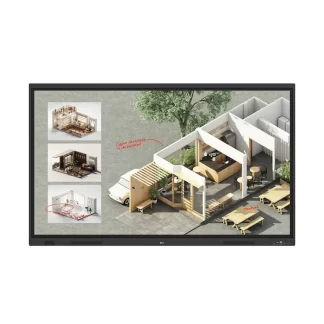
65″ LG CreateBoard Standard
Key Features
- Resolution : 3,840 × 2,160 (UHD)
- Brightness : 400 nit (Typ.)
- Multi-Touch Point : Max. 50 Points
- OS Ver. : Andorid 14 (EDLA)
- Interface (Input) : HDMI (3), DP, RGB (VGA), Audio, RS-232C, RJ45 (LAN), USB Type-C (2), USB 3.0 Type-A (5), USB 2.0 Type-A
- Interface (Output) : HDMI Out, Audio Out, Touch USB (3), RJ45 (LAN)

Innovate, Collaborate, and Create with Seamless Technology, LG CreateBoard

Creative Whiteboard Solution
LG CreateBoard offers a lifelike touch experience, allowing users to interact with content directly on the board. You can write, draw, zoom, and rotate using just your fingers, making it an effective tool for creative projects or presentations. Additionally, LG CreateBoard enables screen and content sharing, making it an excellent tool for seamless collaboration even with remote team members.

Various Teaching Templates
LG CreateBoard offers a variety of educational templates and tools such as a ruler, table, and sticky note, fostering active student participation and facilitating intuitive lessons.

Easy to Save / Import / Export
LG CreateBoard incorporates straightforward import and export features. Resources can be saved and directly imported to and from Google Drive or OneDrive. After meetings, you can directly send emails to share materials, or scan a QR code to transfer them to your personal device.

LG CreateBoard Lab
LG’s proprietary whiteboarding software

Tools for Fluid Discussion
A variety of tools such as a calculator, clock, and sticky note are available to facilitate smooth discussions and ensure seamless idea sharing and communication. Also, users can personalize the menu bar with their most frequently used tools, thereby improving their work efficiency.

Web Browser
When you need a reference during a discussion, you can access various online information in real time with the simple click of a web browser. The necessary information found on the internet can be easily dragged and dropped into the material you’re creating, enhancing the productivity of your meetings.
Multi-OS Support
LG CreateBoard Lab offers multi-OS support, allowing users to utilize it not only with LG CreateBoard but also with other devices. This enables users to maintain a seamless experience on tablets, laptops, and various other devices, even outside the classroom.
* Certain features may not be supported depending on the operating system.
* LG CreateBoard Lab is compatible with Android, Windows, Chrome, and the Web.
LG CreateBoard Share
LG CreateBoard Share offers a wireless screen sharing feature, providing users with a flexible discussion environment. Users can share their screen from their own PC, tablet, or smartphone, simplifying the process of sharing and collaborating on team projects or presentation materials.

* LG CreateBoard also supports app-less sharing for PC, tablet, or smartphone (via website) within the same network.
* For a more stable connection, we recommend the installation of a dedicated app (LG CreateBoard Share).
* LG CreateBoard Share app is compatible with Android 5.1 and higher, iOS 12.0 and higher, and MacOS 11.0 and higher.
Wireless ScreenShare Feature for Seamless Meeting Environment
LG CreateBoard Share establishes a seamless and stable meeting room without the need for extra cables or connections. Presenters can now share their screens without the need to inconveniently move around and unplug and plug cables each time the presenter changes. With the capability to share up to 9 screens in real-time, it’s possible to display multiple people’s materials simultaneously when needed, thereby enhancing the efficiency of collaboration.

TECH SPECS
All Spec
PANEL
-
Screen Size (Inch) 65″
-
Panel Technology VA
-
Back Light Type Direct
-
Aspect Ratio 16:9
-
Native Resolution 3840×2160 (UHD)
-
Refresh Rate 60Hz
-
Brightness 400nit (Typ.)
-
Contrast Ratio 5000:1
-
Dynamic CR 5000:1
-
Color Gamut NTSC 72%
-
Viewing Angle (H x V) 178 x 178
-
Color Depth (Number of Colors) 10bit(8bit + FRC)
-
Response Time 6.5ms
-
Surface Treatment (Haze) 25%
-
Life time 50,000 Hrs(L50, Min.)
-
Operation Hours (Hours/Day) 16/7
-
Portait / Landscape No / Yes
CONNECTIVITY
-
HDMI In Yes(3, Front1/Back2)
-
DP In Yes(1)
-
RGB In Yes(1, VGA)
-
Audio In Yes(1)
-
RS232C In Yes(1)
-
RJ45(LAN) In Yes(1)
-
USB In
USB3.0 Type A(5) – Front2/Back2/Top1
USB2.0 Type A(1),
USB Type-C(2, For the front 1, PD 65W without OPS/
DP-Alt ) – Front1/Back1 -
HDMI Out Yes(1)
-
Audio Out Yes(1), Optical Yes(1, SPDIF)
-
Touch USB Yes(3, Front1/Back2)
-
RJ45(LAN) Out Yes(1)
-
Reviews
There are no reviews yet.